0 0 0 0

NEX-Forms Documentation

Documentation & Tutorials for NEX-Forms version 8.0 and above

Accessing File Uploads

This article will guide you on how to access File Uploads that came from uploader form fields submitted by your forms.

How to Access Uploaded Files
  1. Log into your Wordpress Admin area.
  2. Click on the "NEX-Forms" menu item from the admin sidebar.
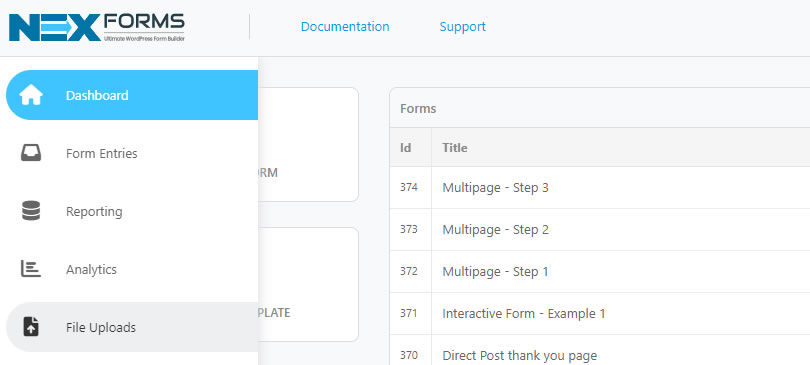
  3. Click on "File Uploads" from the NEX-Forms left hand main menu.
    NEX-Forms - Figure Arrow
    NEX-Forms - Form Entries - Access - Figure - 1


Alternatively navigate directly to the NEX-Forms - File Uploads from the Wordpress Menu.

NEX-Forms - Figure Arrow
NEX-Forms - Form Entries - Access - Figure - 1
Was this article helpful?
Yes
No
Still having trouble? How can we help you?
This article was last updated on 19 November 2024
Stay in Touch
Get the latest NEX-Forms news and info by following us on:
In this article
11xi
I've never had such an awesome customer support to help me. Basix responses to your ticket really fast! He helped me a lot by fixing bugs and issues with the conditional-logic. Even if both, Basix and I were really frustrated by some issues and didn't know how to proceed further, he didn't stop searching for a way to fix the issue. Furthermore he was/is very polite, calmly and interested in my concerns. Working with Basix was really a pleasure to me. Many thanks!
RazielKanos
Definately one of the BEST Form Builders I ever used. With some better doctumentation it would be a 6 star ;)
Chris Perkins recently bought a NEX-Forms - BASIC Plan
Nick Holt recently bought a NEX-Forms - BASIC Plan
umminstitute recently bought a NEX-Forms - BASIC Plan
Max Ma recently bought a NEX-Forms - BASIC Plan
Lars Denker recently bought a NEX-Forms - BASIC Plan