0 0 0 0

NEX-Forms Documentation

Documentation & Tutorials for NEX-Forms version 8.0 and above

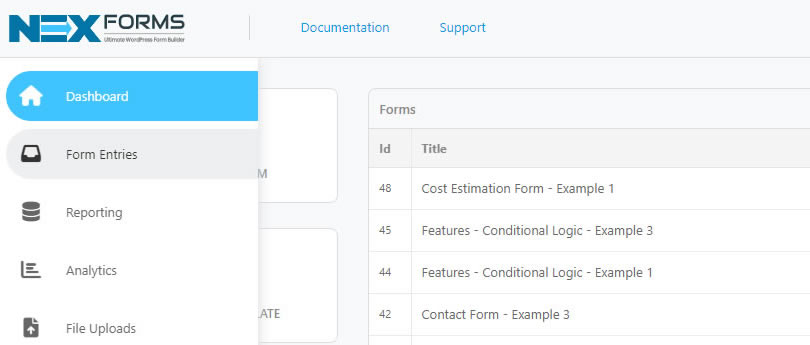
Accessing Form Entries

This article will guide you on accessing your form entries, where you can retrieve all submitted form data and efficiently manage your form entries.

How to Access your Form Entries/Submissions
  1. Log into your Wordpress Admin area.
  2. Click on the "NEX-Forms" menu item from the admin sidebar.
  3. Click on "Form Entries" from the NEX-Forms left hand main menu.
    NEX-Forms - Figure Arrow
    NEX-Forms - Form Entries - Access - Figure - 1


Alternatively navigate directly to the NEX-Forms - Forms Entries from the Wordpress Menu.

NEX-Forms - Figure Arrow
NEX-Forms - Form Entries - Access - Figure - 1
Was this article helpful?
Yes
No
Still having trouble? How can we help you?
This article was last updated on 19 November 2024
Stay in Touch
Get the latest NEX-Forms news and info by following us on:
In this article
Andreasschuetz1
All issues solved, good job, thank you.
odyright
great form builder thx @Basix
Rich Lozano recently bought a NEX-Forms - BASIC Plan
Svetlana Prokovic recently bought a NEX-Forms - BASIC Plan
Adrien Nash recently bought a NEX-Forms - PLUS Plan
MONCIF Eluasti recently bought a NEX-Forms - BASIC Plan
Alvaro Pérez recently bought a NEX-Forms - BASIC Plan