0 0 0 0

NEX-Forms Documentation

Documentation & Tutorials for NEX-Forms version 8.0 and above

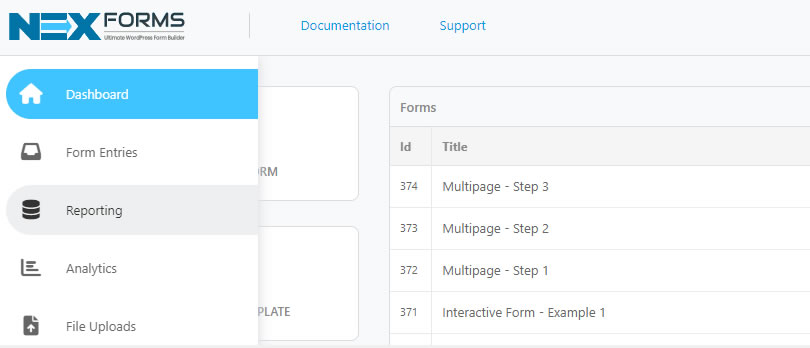
Accessing Submission Reporting

This article will guide you on accessing Submission Reporting.

How to Access Submission Reporting
  1. Log into your Wordpress Admin area.
  2. Click on the "NEX-Forms" menu item from the admin sidebar.
  3. Click on "Reporting" from the NEX-Forms left hand main menu.
    NEX-Forms - Figure Arrow
    NEX-Forms - Form Entries - Access - Figure - 1


Alternatively navigate directly to the NEX-Forms - Reporting from the Wordpress Menu.

NEX-Forms - Figure Arrow
NEX-Forms - Form Entries - Access - Figure - 1
Was this article helpful?
Yes
No
Still having trouble? How can we help you?
This article was last updated on 19 November 2024
Stay in Touch
Get the latest NEX-Forms news and info by following us on:
In this article
Simon_Graves
All the features of the big form plugins at a fraction of the cost.
mrakanovic
Quick and efficient customer support. The product is also great! Very easy to use and implement.
Markus Schober recently bought a NEX-Forms - PRO Plan
Zac Lockhart recently bought a NEX-Forms - BASIC Plan
Ahmed Yusufali Dockrat recently bought a NEX-Forms - BASIC Plan
iconnectbusinessesgmail -com recently bought a NEX-Forms - BASIC Plan
Justin Shuxteau recently bought a NEX-Forms - BASIC Plan